
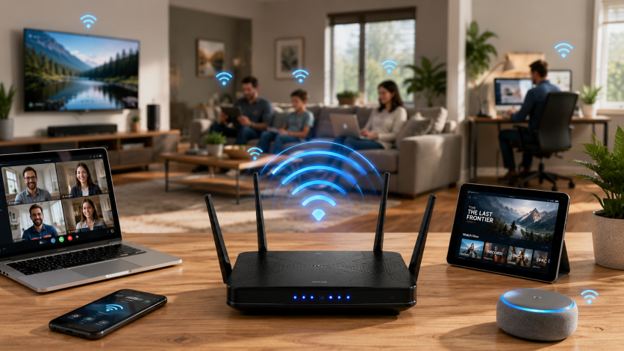
Modern homes in Saskatchewan rely heavily on strong internet connections to manage remote jobs, streaming services, and smart security systems. Many households continue using old routers for years until daily network tasks completely stall out and cause unnecessary frustration.
Recognizing small hardware issues early prevents major communication disruptions across your entire household network setup. Updating your system ensures your family enjoys steady online performance without constant dropouts, signal loss, or slow speeds.
Sign 1: Frequent Video Buffering and Disconnects
Experiencing sudden pauses during video calls or watching a movie freeze can ruin your evening. This issue usually points to an outdated routing system that cannot process modern data streams. When data demands peak, old processors fail to handle the continuous incoming traffic efficiently.
Understanding Bandwidth Delivery
A weak signal causes direct packet loss between your computer and the main access point. Upgrading your router allows for smarter distribution of traffic across your living spaces. Checking out Why SaskTel Internet sheds light on how a stable baseline service keeps data moving without interruptions.
Preventing Peak-Hour Congestion
During evening hours, home networks face their highest loads as everyone logs on at once. Older systems lack the intelligent traffic management required to keep important business applications running alongside heavy entertainment streams. Modern hardware automatically prioritizes high-priority traffic to maintain a stable connection during high-use periods.
Why Old Routers Reboot Under Strain
When your router cannot handle the load, it drops connections entirely to protect its internal processor from overheating. This results in those random router reboots that disrupt your work or gaming sessions.
Sign 2: Large Dead Zones Across Your House
If your internet drops completely when walking to a back bedroom or the backyard, your hardware lacks sufficient range. Heavy walls, concrete, metal framework, and dense furniture naturally block wireless signals as they travel through your home. Legacy devices fail to push past these structural barriers effectively over longer distances.
Expanding Structural Coverage
Single access points often struggle to cover multi-story floor plans or spread-out layouts. Newer setups use advanced antenna arrays to aim signals directly toward your active devices. Evaluating specific equipment and add-ons can help you find proper extenders or modern mesh hardware designed to eliminate coverage gaps.
Choosing Between Mesh Systems and Extenders
Standard extenders create a separate secondary network that requires manually changing connections as you walk around. Mesh systems use a single network name to transition your devices smoothly from node to node. This ensures you maintain a maximum connection speed anywhere on your property.
Dealing with Signal Drop-off
When you rely on an outdated router, the signal drops off significantly for every wall it encounters. This leaves you tethered to a small radius around your living room media console.
Common Physical Signal Obstacles:
- Interior Concrete and Brickwork: Structural chimneys or basement walls absorb radio frequencies instead of letting them pass through.
- Large Mirrors and Glass Panels: Reflective surfaces bounce wireless signals away from target rooms, creating immediate dead zones behind them.
- In-Wall Insulation and Foil Barriers: Modern energy-efficient building materials frequently block local radio waves from reaching upstairs spaces.
Sign 3: Slow Speeds When Multiple Devices Log On
The average household now runs dozens of connected items including phones, tablets, smart TVs, and home appliances. Old wireless communication protocols were built for times when homes only had one or two computers online. When too many items request data simultaneously, your router forces them into a slow digital waiting line.
Managing Heavy Smart Home Traffic
Smart home products constantly send small updates that gradually exhaust older router processors. This steady background drain leaves very little room for your main computers to load heavy websites or videos. Upgrading to current network standards allows your system to communicate with hundreds of smart devices at once.
Improving Multi-User Efficiency
Modern routers use advanced multi-user technologies to transmit data to several separate devices at the exact same moment. This cuts out the artificial processing lag that causes websites to load slowly on busy networks. It ensures every user in the house enjoys a responsive connection, regardless of what others are downloading.
Overcoming Sequential Processing Bottlenecks
Without this capacity, your router spends all its processing power sorting through background device pings rather than delivering actual web speeds. High-density households feel this bottleneck most severely when multiple users attempt high-bandwidth activities simultaneously.
A single user downloading a large video game update can completely freeze out another user trying to stream an online class. Older routers handle requests sequentially, meaning every device waits its turn in microsecond intervals. As the number of devices grows, those intervals compound into highly visible, frustrating delays.
Sign 4: Outdated Security Protocols and Old Hardware
If your router has been running on the same shelf for over four years, its internal tech is falling behind current standards. Network security threats shift rapidly, and outdated firmware leaves your private data exposed to modern security risks. Older hardware cannot support current data encryption standards designed to keep personal information safe.
Protecting Your Private Data
Modern wireless hardware utilizes updated security protocols to protect sensitive data like passwords from interference. These efficient systems also run cooler while safeguarding your home network from cyber vulnerabilities.
Automating Safety Updates
Older systems require manual downloads for security patches, which are often overlooked. Conversely, modern hardware background-updates security rules automatically, ensuring continuous protection against new online vulnerabilities without disrupting your work.
The Danger of End-of-Life Status
When an internet router reaches its end-of-life status, manufacturers stop publishing security updates entirely. This leaves your home network wide open to automated sorting programs used by bad actors to locate vulnerable networks.
Stopping Physical Component Degradation
Hardware ages as internal components like antennas and capacitors degrade from years of heat and electrical stress. This physical decline causes speed drops that resets cannot fix. Upgrading ensures your hardware can handle modern digital demands.

Sign 5: Missing Out on Your Paid Internet Speeds
Paying for a premium high-speed internet plan brings little benefit if your physical hardware cannot distribute that speed. When a wired computer shows fast speeds but your wireless devices lag behind, your router is causing a performance bottleneck. Your local wireless coverage will only match the maximum capabilities of your oldest piece of equipment.
Matching Hardware with Service Plans
Old internal ports often limit fast incoming data lines down to slower legacy speeds. Upgrading to a modern system ensures you get full value from your monthly subscription plan. Exploring new Personal Deals helps match your home setup with affordable, high-speed regional internet offerings.
Moving to Fiber Infrastructure
For high-capacity needs, reading up on What’s infiNET introduces you to advanced fiber-optic options. Fiber links offer massive bandwidth capabilities that older routers simply cannot pass along to your devices. Coupling fiber lines with updated hardware provides the best possible setup for streaming, online gaming, and large downloads.
Overcoming Built-In Chipset Limitations
If your hardware is limited to older wireless generations, your real-world wireless throughput will stay capped far below your actual subscription tier. This bottleneck is especially obvious when performing basic speed tests next to an older router.
Even with a direct line of sight, outdated wireless chips physically cannot transfer data fast enough to maximize a high-speed fiber connection. By updating your distribution hardware, you remove this artificial barrier and allow your home devices to access the full speeds entering your property.
Why Choose a Local Authorized Dealer for Your Network Needs
A strong home network starts with the right equipment, proper setup, and expert guidance. Working with a local authorized dealer helps ensure your network is built to meet your home’s unique layout and your family’s connectivity needs.
Expert Network Planning
Managing home network adjustments on your own can lead to poor hardware placement and mismatched service configurations. A local specialist removes the guesswork by ensuring your internet hardware is properly positioned and configured for your home. Our team evaluates your floor plan, identifies structural barriers, and optimizes your equipment for the best possible performance.
Reliable Coverage Without Overspending
We help you avoid spending money on unnecessary hardware while making sure you have enough coverage for all your connected devices and smart home products. The goal is to deliver strong, consistent performance without excessive costs.
Certified Equipment and Local Support
When you purchase through an authorized regional dealer, you gain access to certified equipment designed to work seamlessly with local infrastructure. This provides greater reliability, easier troubleshooting, and dependable support whenever you need assistance.
FAQ
How long does a home wireless router typically last?
Standard home routers usually last three to four years before internal hardware struggles with modern web standards. Over time, constant data requests from smart devices can cause older processors to overheat, leading to performance lags and frequent connection drops.
Will buying a newer router instantly fix my internet speed?
A new router improves speeds only if your current hardware is the bottleneck. If your provider’s service line is slow, you must upgrade your subscription package as well to see results.
What is the difference between a Wi-Fi extender and a mesh network?
Traditional extenders use separate signals requiring manual network switching. In contrast, mesh networks use interconnected nodes to create a unified zone that manages device transitions automatically.
Can old hardware affect my monthly internet bills?
Old hardware does not increase your bills directly, but it causes you to waste money by underutilizing the high-speed tier you pay for. If your router caps your wireless delivery, you are paying for premium bandwidth that your home devices cannot actually access.
How do I know if my building materials are blocking my signal?
If your wireless speed drops significantly when you step across a specific doorway or move to a different floor, the walls are likely absorbing the radio waves. Installing a mesh node near those transition points helps route the signal cleanly around the physical blockages.
Take Charge of Your Home Connectivity
Fixing old hardware bottlenecks removes daily online friction and allows your home devices to perform at their true capacity. Updating your internal router setup ensures secure connections, faster loading windows, and complete home coverage. Take a moment to evaluate your current system and bring your home up to modern standards.
As an authorized SaskTel dealer, we’re here to help with your home internet upgrades. Contact us today to explore your equipment options and find the right high-speed plan for your household.